The map layer
See any repo
as a living map.
fledge atlas reads a project's
specs, source, coverage, and git history and draws one
self-contained interactive HTML
file: a spec and code graph, a coverage treemap and sunburst, a
dependency DAG, and a churn-vs-coverage view. Where your specs and code
agree, where they drift, and what nobody described, in one picture.
atlas · fledge-plugin-atlas
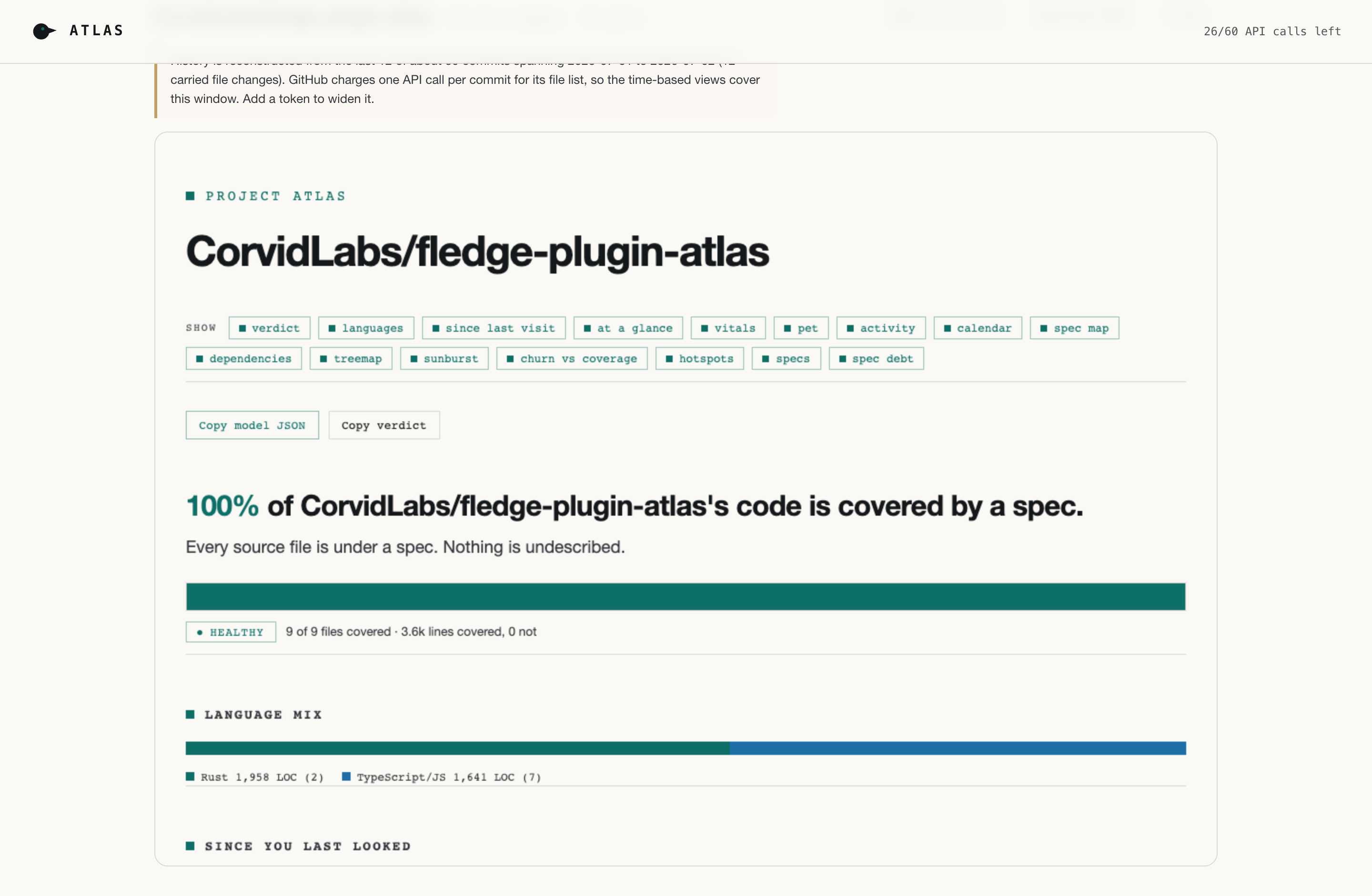
verdict 100% of code is covered by a spec
coverage [##########] 100/100
specs 10 files 9 orphans 0 phantoms 0
→ wrote atlas.html · one self-contained file
- 1
- self-contained file
- no CDNs, no fonts, no network
- 2
- outputs, one model
- an interactive atlas and a --json model
- 100%
- self-governed
- atlas gates its own repo: 0 orphans, 0 phantoms
- WASM
- in the browser
- the same Rust engine renders any public repo
Install
$ fledge plugins install CorvidLabs/fledge-plugin-atlas
# Map the current repo
$ fledge atlas
atlas.html
$ fledge atlas --json
{ "coverage": 100,
"orphans": 0, "phantoms": 0 }
Prefer no install? The same engine also ships as a browser app that renders any public repository client-side, no sign-in and no server.
The surface
One file, many views.
Every atlas is a single interactive HTML document. Toggle the views on and off; each is drawn from the same underlying model.
Spec and code graph
Each spec is a bubble; the code files it governs are the dots inside it. A file shared by two specs sits where the bubbles overlap; files with no spec float outside.
Coverage treemap
Every file sized by its lines and colored by whether a spec covers it. The undescribed corners of a codebase stop hiding.
Sunburst
The directory tree as concentric rings, so coverage reads at a glance from root to leaf.
Dependency DAG
Module dependencies laid out in layers, so cycles and load-bearing files are obvious.
Churn vs coverage
Cross git history with lcov to surface the hot files that change often and are least covered: the risky quadrant.
Activity and calendar
Commit cadence and a contribution calendar reconstructed from recent history, plus a since-you-last-looked diff.
Orphans and phantoms
Code under no spec (orphans) and spec-declared paths that do not exist on disk (phantoms), clustered so the gaps are countable.
One plain verdict
A single sentence at the top: what share of the code a spec actually covers, and whether that is healthy.
The output
Rendered, not screenshotted.
These four cards are real fledge atlas --svg
renders of the atlas repository: the same deterministic, self-contained SVG the
engine draws, with no external fonts, scripts, or runtime network. This page pulls
them fresh from the atlas repo's own GitHub Pages at build time, so they track its
current main rather than a saved snapshot.
See the same cards for every CorvidLabs tool on the trust board →
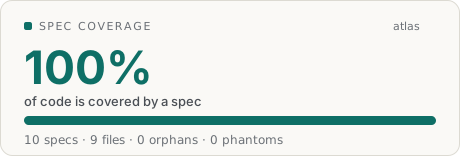
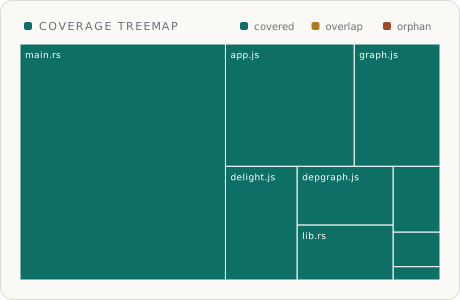
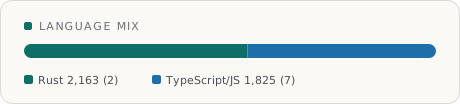
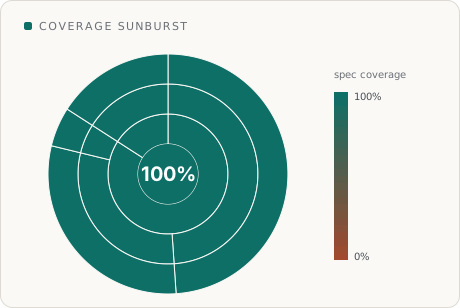
The atlas repository drives its own README badges and these very cards this way: a composite Action renders them into GitHub Pages on every commit to main, and this page fetches them at build.
One model, two outputs
The picture and the data never disagree.
atlas builds one model from your specs, source, coverage, and history.
The HTML atlas embeds that exact model as JSON and draws from it, and
--json prints the very
same model. So the map a human reads and the numbers an agent gates on are
the same source of truth.
For a human
$ fledge atlas > atlas.html
$ open atlas.html
→ interactive graph, treemap, history, verdict
For an agent or CI
$ fledge atlas --json | jq .stats
{
"coverage_pct": 100.0,
"orphan_files": 0,
"phantom_refs": 0
}
Who reads it
A map for humans, a model for agents.
The same artifact serves the person who needs to understand a codebase and the automation that needs to gate on it.
Humans read the map
Open one HTML file and see the whole project: where specs and code agree, where they drift, what nobody described. No build, no server, no login.
Agents read the model
fledge atlas --json prints the same model the picture is drawn from, so an agent gates on coverage, orphans, and phantoms. The numbers and the map never disagree.
CI gates on it
Fail the build when coverage drops or an orphan or phantom appears. This repo governs itself that way: 100% covered, 0 orphans, 0 phantoms, on every PR.
No install required
It runs in your browser, too.
The whole engine is compiled to WebAssembly and shipped as a GitHub
Pages app. Type any owner/repo
and it fetches the tree, source, and history from the public GitHub API
and renders the atlas client-side. No sign-in, no server, nothing to
install. Git history loads on demand and repeats are cached, so it
stays inside GitHub's anonymous rate limit. The
repository
links straight to the live demo.
Key concepts
The vocabulary; everything else composes from these.
- spec
- A
*.spec.mdfile that declares which source files it governs. - orphan
- A code file that no spec claims. Undescribed surface area.
- phantom
- A path a spec declares that does not exist on disk. A stale reference.
- coverage
- The share of lines of code that sit under at least one spec.
- verdict
- The one-sentence summary at the top of every atlas.
- model
- The JSON the atlas is built from;
--jsonprints it verbatim.
Where it ships
- Language
- Rust (pure atlas-core engine, atlas-cli, atlas-wasm)
- Runs on
- macOS, Linux, Windows (CLI), and any modern browser (WASM)
- Install
- fledge plugins install CorvidLabs/fledge-plugin-atlas
- Output
- one self-contained HTML file, plus --json
- Web app
- a WASM build renders any public repo in the browser
- Source
- github.com/CorvidLabs/fledge-plugin-atlas
Map your repo in one command.
Install the plugin and run fledge atlas,
or open the browser app and type any public repo.