
Local-first voice dictation
Talk to your computer.
Words appear.
Quill captures your mic, transcribes with Whisper on-device, polishes
with embedded llama.cpp when you ask for it, and inserts text into whatever
field you have focused.
F8 is quick raw dictation.
Add an enhanced binding when you want translate or polish. Everything
runs on your machine unless you explicitly choose a remote endpoint.
Apple Silicon macOS 14+ .dmg (signed and notarized) and Linux x86_64 .AppImage / .deb / per-user tar.gz. Windows is coming soon. Free, open download while in beta. Say hi on Discord.
Local-first means local-first.
No audio or transcript leaves the machine by default. The polish pass runs against a SHA256-pinned model the app manages itself. Anonymous beta diagnostics contain no transcript or audio, and offline mode disables all network egress. Any remote provider is opt-in per-config and surfaces a startup warning.
Get Quill
Download the beta.
Free, open download. 1.0.0-beta.7 · published 2026-09-02. macOS is signed and notarized; every build ships a minisign-signed SHA256SUMS you can verify.
Apple Silicon, signed & notarized
Quill-1.0.0-beta.7.dmg
sha256 ef74b0ff6db4936e…
x86_64, portable
Quill-1.0.0-beta.7-x86_64.AppImage
sha256 258fddc2a8b3579c…
x86_64, Debian/Ubuntu
quill_1.0.0-beta.7_amd64.deb
sha256 50a864f1e1d1d907…
x86_64, per-user, no root
Quill-1.0.0-beta.7-x86_64.tar.gz
sha256 08111e51cc90707a…
Trouble installing? See the install guide. The app auto-updates in place once installed, on the beta channel.
Record, transcribe, polish, insert
Four stages, all on-device.
Each stage is a separate Rust crate, so raw and enhanced dictation stay predictable. Hold the hotkey, talk, release. The daemon does the rest without a single byte leaving your machine on the default path.
Daemon opens the mic via cpal. webrtc-vad waits through natural pauses and auto-stops.
On-device transcription with whisper-rs. Metal on Apple Silicon, CPU elsewhere.
Optional local LLM stages: translate-to-English, then embedded llama.cpp polish against the verified GGUF.
Type at cursor by default, with clipboard-preserving copy-and-paste as the fallback path.
First dictation, from a terminal
$ quill init
✓ model ready: ggml-base.en.bin
# Confirm your mic is visible
$ quill-daemon devices
# Hold-to-talk on F8, release to inject
$ quill-daemon listen --key f8
Drive it live over IPC
$ quill ping
pong
# Live-switch a hotkey's insertion strategy
$ quill set-inject-mode enhanced clipboard
# Wayland: let the compositor own the keybind
$ quill press quick
$ quill release quick
Seven polish styles
Pick how the polish pass rewrites you.
On the enhanced path, the embedded model rewrites the raw transcript
through one of seven prompt templates.
casual is the default
polish style. no-polish
is a passthrough: Whisper text, untouched. Set it in Settings or via the
polish_template field.
no-polish
Pass the raw Whisper transcript through unchanged.
Fast dictation, already-edited speech, debugging STT
casual
defaultLight cleanup. Conversational tone, contractions kept.
Slack, quick notes, PR comments
formal
Proper grammar, no contractions, business voice.
Email bodies, reports, customer replies
technical
Preserve technical terms, code, and command names verbatim.
Code review, bug reports, eng chat
bullets
Restructure continuous speech into a bulleted list.
Meeting notes, action items, stand-ups
concise
Shorter, fewer words, filler and hedging removed.
Commit messages, status updates
Format as an email body. Greeting, body, and sign-off when context fits.
Dictating email replies
Key concepts
The vocabulary; the daemon composes everything else from these.
- F8 (quick)
- The fast path, on by default: capture, transcribe, inject. No polish pass, lowest latency.
- enhanced hotkey
- Optional second binding, commonly F9, that adds local translate and polish stages before injection.
- polish style
- One of seven prompt templates:
casual,formal,technical,bullets,concise,email,no-polish. - custom vocabulary
- User-managed domain terms, names, brands, and acronyms that bias Whisper through an initial prompt.
- inject mode
- Per-hotkey:
Type at cursorby default, orCopy & pastewith clipboard restore. - polish backend
embeddedby default (bundled llama.cpp).remoteis the opt-in escape hatch and warns on non-loopback hosts.- daemon
- The long-running process that owns the global hotkey via
rdevand drives the whole pipeline over IPC.
The privacy contract
Dictate without trusting a cloud.
Quill is built so the private content path is the default path. The embedded polish model is pinned and verified; remote transcript processing is the loud exception, not the rule. Here is exactly what that buys you.
- Audio never leaves the machine. Whisper runs on-device. There is no transcript network round-trip on the default path.
- Anonymous diagnostics are transcript-free. Beta telemetry and crash uploads default ON, contain no transcript or audio, and can be disabled in Settings.
- No raw transcript logging. The daemon refuses to log raw transcripts at the default tracing level. That is enforced, not advised.
- SHA256-pinned polish model. The embedded GGUF (Qwen3 4B Q4_K_M) is verified against a pinned SHA256 before first use.
- Remote is explicit and loud. Pointing polish at a remote endpoint is per-config opt-in and fires a startup warning for non-loopback hosts.
- Offline mode exists. A single Settings switch disables telemetry, crash uploads, and update checks for fully offline operation.
- Signed, verifiable downloads. Every build ships a minisign-signed SHA256SUMS, and the in-app updater verifies downloads against a key baked into the app.
The pinned polish model
model = "Qwen3 4B Q4_K_M"
repo = "Qwen/Qwen3-4B-GGUF"
file = "Qwen3-4B-Q4_K_M.gguf"
sha256 = 7485fe6f11af...
# Verified before first use. No Ollama server.
backend = "embedded"
Polish backends: embedded (default),
system,
remote. Only
remote sends
transcripts off-machine, and only after you opt in.
What it looks like
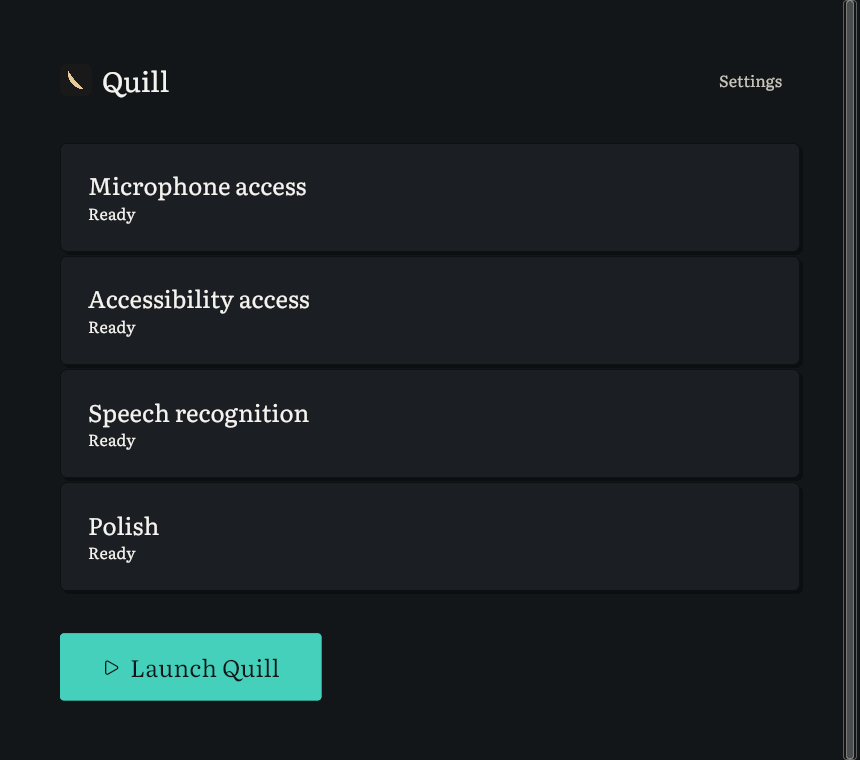
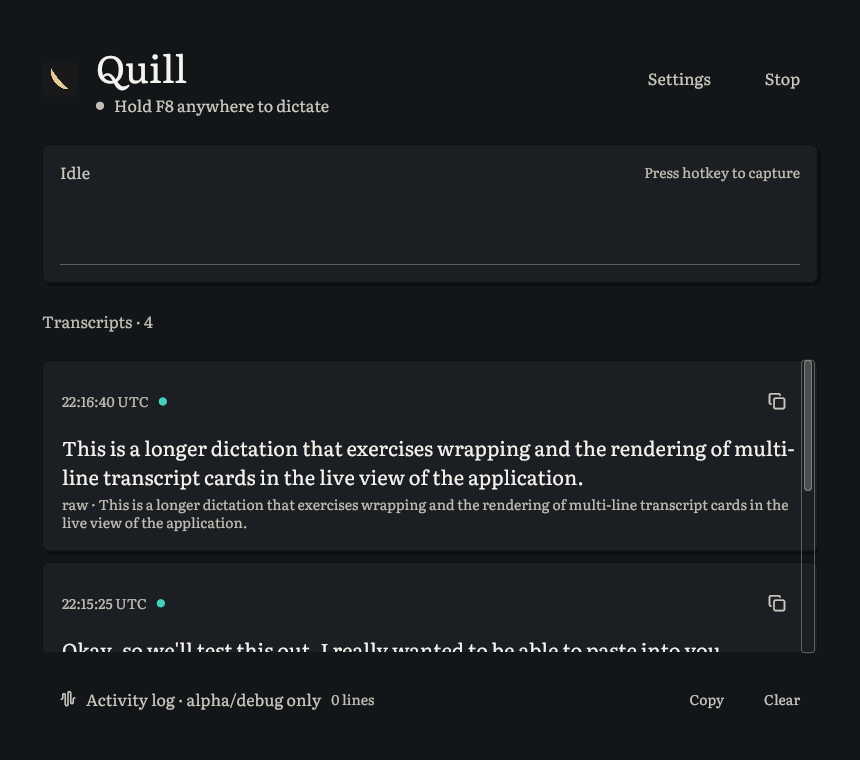
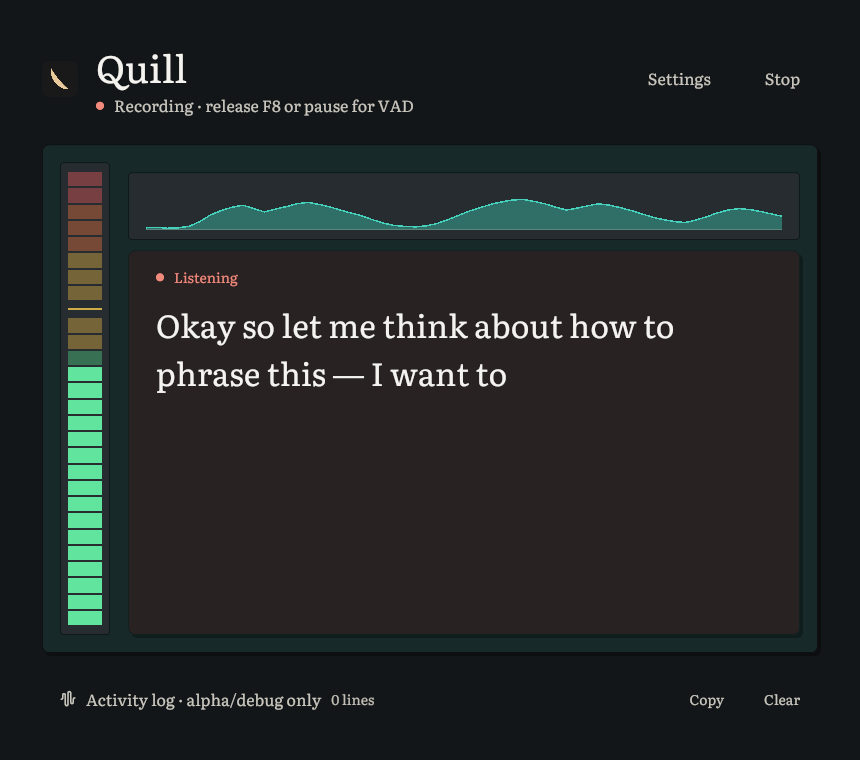
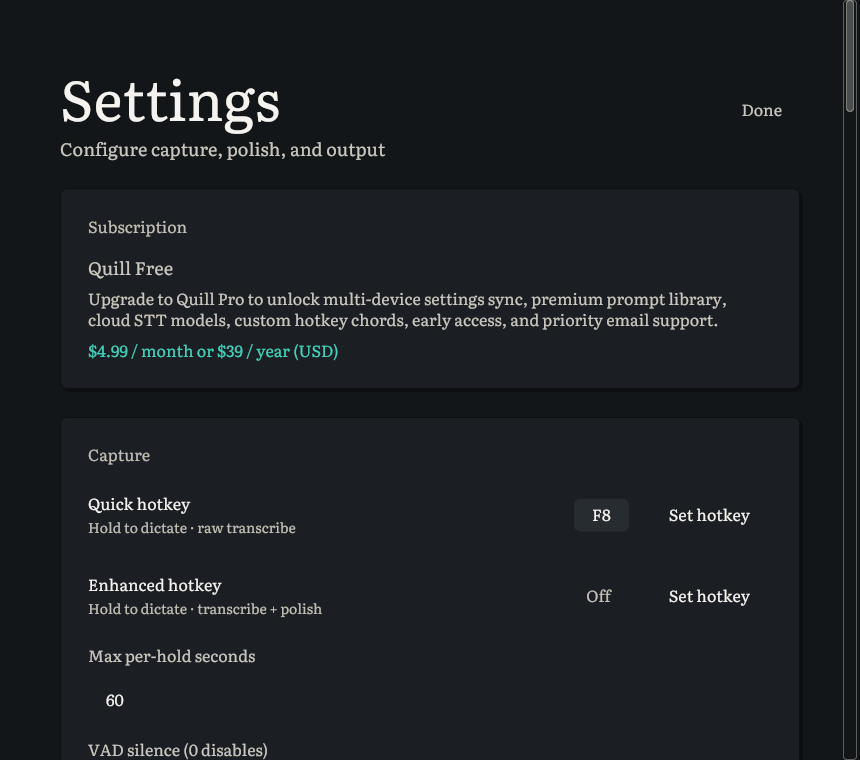
Paper-like sheets instead of glowing panels. The setup view runs once. The live view is where you spend your time. Settings is one keystroke away.
What you get
Local-first by default
Audio and transcripts never leave your machine by default. Whisper runs on-device; enhanced dictation uses embedded llama.cpp against a verified GGUF in Quill's model cache. No API keys, no transcript network round-trip. Beta diagnostics are anonymous, transcript-free, and opt-out; offline mode disables all network egress in one switch.
Whisper with Metal acceleration
Speech-to-text via whisper-rs (whisper.cpp under the hood). Metal on Apple Silicon, CPU fallback everywhere else. Curated picker covers base.en, base, small.en, small, medium.en, medium. Quill manages the downloads into ~/.cache/quill/models/.
Enhanced polish without Ollama
After Whisper transcribes, a local Qwen3 4B Q4_K_M GGUF cleans up filler words, fixes punctuation, and disambiguates homophones through embedded llama.cpp. Pick one of seven styles. No Ollama install, no local HTTP server. A custom Ollama-compatible endpoint stays an explicit opt-in escape hatch.
F8 raw, enhanced when you want it
F8 is the fast path: transcribe and inject. The optional enhanced binding adds translate and polish stages before insertion. Both use the same hold-talk-release loop, and both can run as hold-to-talk or tap-to-toggle.
Pastes into any focused field
Quill defaults to Type at cursor, using macOS Accessibility where available and falling back when a field is not AX-writable. Copy & paste uses the clipboard but restores what you had copied before. Works in your editor, your browser, your terminal, your chat app.
Click-to-capture hotkey picker
Open Settings, click the hotkey field, press the binding you want: function keys, right-hand modifiers, or full chords like Cmd+Shift+Space, with reserved-combo warnings. Quill applies changes without hand-editing TOML.
First-run model setup
First launch walks through mic and Accessibility permissions, downloads the Whisper model and embedded polish GGUF, then verifies the GGUF before use. If something breaks later, WHAT / WHY / DO error banners with stable IDs explain what happened, why, and what to do.
In-app updater
Background download, signed-checksum verification, restart-to-install, and beta/prerelease channel selection. A 'What's new' card surfaces release highlights from a TOML asset baked into the binary.
Custom vocabulary and voice commands
Add domain terms, names, brands, and acronyms so Whisper stops mangling them. Optional voice commands turn phrases like new line, period, and question mark into punctuation after transcription.
Paper-first app shell
Quill defaults to large Literata reading type, no-glow layered sheets, a live transcript-first recording layout, and the current Corvid Light/Dark theme system with accessible contrast.
Stack
Pure Rust workspace, one crate per pipeline stage, plus a thin
iced GUI for the app shell.
| Layer | Crate | Tool |
|---|---|---|
| Audio capture + VAD | quill-audio | cpal + webrtc-vad |
| Speech-to-text | quill-stt | whisper-rs (Metal on macOS) |
| LLM polish | quill-polish | Embedded llama.cpp + verified GGUF (BYO endpoint optional) |
| Text insertion | quill-inject | arboard clipboard · enigo keystroke · macOS Accessibility |
| Hotkey + pipeline | quill-daemon | rdev + tokio |
| CLI | quill-cli | clap |
| GUI app | quill-app | iced |
Status
v1.0.0-beta.7 is shipping on macOS and Linux. What works today, what we are hardening, what is still planned. Listed honestly.
- Apple Silicon macOS 14+ .dmg, signed, notarized, stapled
- Linux x86_64 .AppImage, .deb, and per-user tar.gz packages
- Whisper STT with Metal on macOS; curated model picker
- Embedded llama.cpp polish with verified Qwen3 4B Q4_K_M GGUF
- F8 quick raw dictation by default; optional enhanced hotkey for translate and polish
- Seven polish styles: casual, formal, technical, bullets, concise, email, no-polish
- Chord hotkeys, tap-to-toggle, stream-as-you-speak, custom vocabulary, and voice commands
- Type at cursor by default, with clipboard-preserving copy-and-paste fallback
- First-run tour, WHAT / WHY / DO error banners, and self-explanatory diagnostics logs
- In-app updater with signed-checksum verification and beta/prerelease channels
- Anonymous beta telemetry and redacted crash reports: transcript-free, default ON, opt-out
- Offline mode master switch for telemetry, crash uploads, and update checks
- Packaged smoke coverage on every PR, starting with macOS
- More field diagnostics for GPU/CPU backend selection and dictation outcomes
- Windows hardening from preview toward a packaged beta build
- Published Windows installer
- Published Linux aarch64 release artifacts
- Wayland-aware injection on Linux beyond compositor-owned press/release bindings
- Per-app custom polish prompts
Built on the CorvidLabs spine
The same lanes, specs, and agent contracts as every other CorvidLabs project.